 Moor
Moor
Themes
A theme is how a dock looks: its material, tint, border, shadow, icon size, magnification and labels. Moor comes with seven, and you can make your own.
Built-in themes







Choosing a theme
- While editing (⌃⌥E): Theme menu in the toolbar.
- In Settings → Docks: pick the dock, then Theme.
Each dock has its own theme, so a side dock can look different from the main one.
Making your own
Open Settings → Themes, pick a built-in theme and choose Duplicate to Edit. Then change:
- Material — Liquid Glass, Clear Glass, Solid or Blur.
- Tint, or Tint from wallpaper so the glass picks up each display's colours.
- Border, border width and shadow.
- Layout — one bar or floating islands; icon size, spacing, padding and corner radius; magnification and how far it spreads.
- Labels — never, on hover or always, and their size; the running indicator under open apps; bounce while launching.
- Light and dark — the same look in both, or a different one for dark mode.
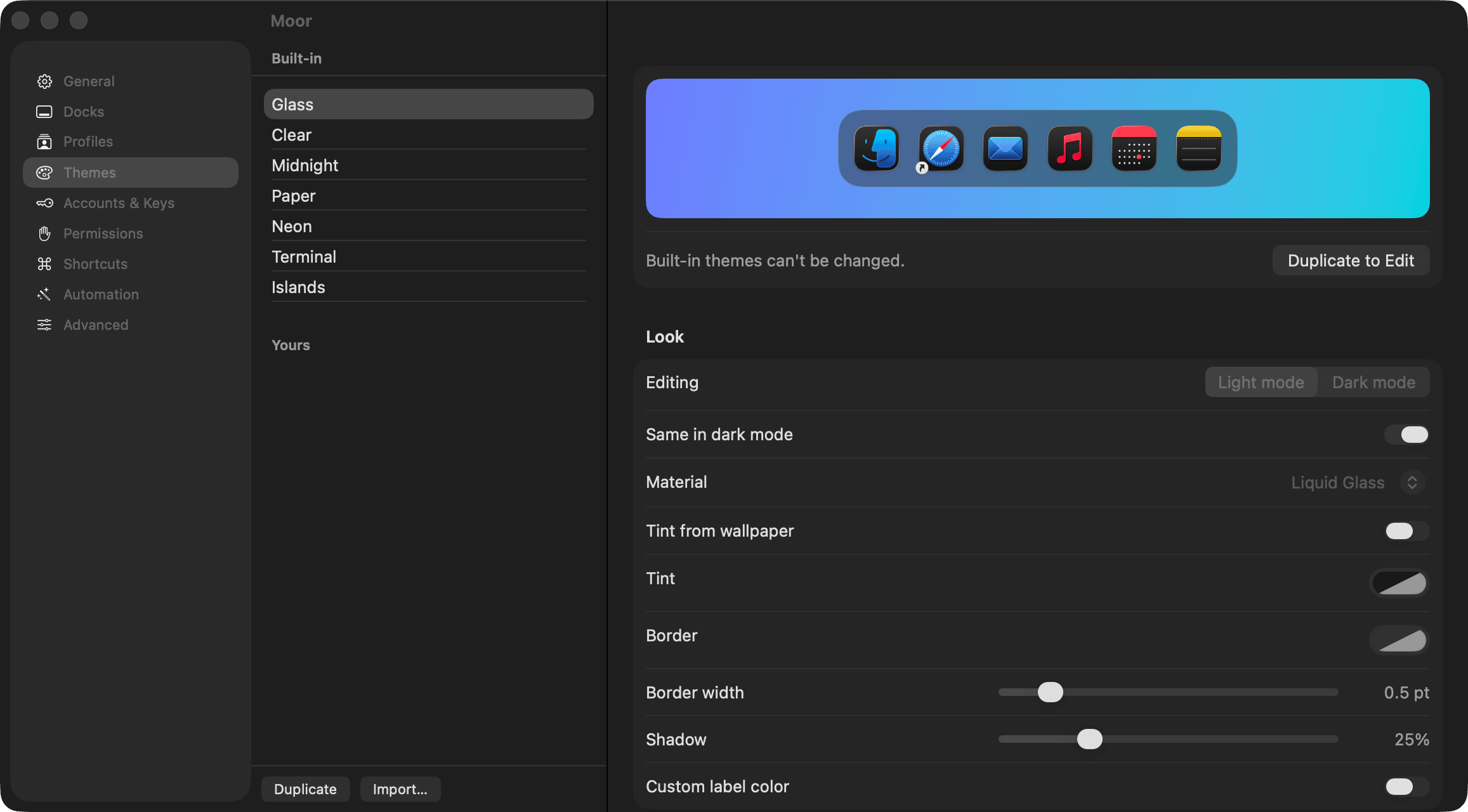
Export… saves a theme as a small file you can send to someone; Import… adds one.
This page as Markdown: /docs/themes.md