Press kit
Writing about Moor? Everything here is free to use in articles, videos and reviews. For anything else — a review license, an interview, early builds — write to support@bayouapps.com.
In one sentence
Moor is a Dock replacement for macOS: glass docks on any edge of any display, live widgets for your day, your sales and your coding agents, and whole Dock setups you switch in a keystroke.
In a paragraph
Moor rebuilds the Mac's Dock for how people work now. Put glass docks on any edge of any display; fill them with live widgets — your next meeting, today's Shopify or Stripe sales, which coding agent needs you, whether your CI passed; restyle every app icon or give any app your own; and save whole Dock setups as profiles you switch with a keystroke, a swipe or automatically when you plug into a monitor. It's as quick under the pointer as Apple's own Dock, works offline, has no accounts or tracking, and always gives Apple's Dock back when you quit.
Facts
| Developer | Bayou Applications LLC, Louisiana, USA |
| Platform | macOS 26 (Tahoe) or later, Apple silicon |
| Price | $29 once — no subscription. 14-day free trial, no card |
| Distribution | Direct from moorapp.com, notarized by Apple, updates itself |
| Released | October 2026 |
| Privacy | No accounts or ads; the app shares anonymous usage only if the user turns it on; API keys stay in the Mac's Keychain |
| Contact | support@bayouapps.com |
Highlights
- Docks anywhere — any edge, any display, follow the pointer or the active window, auto-hide, seven themes.
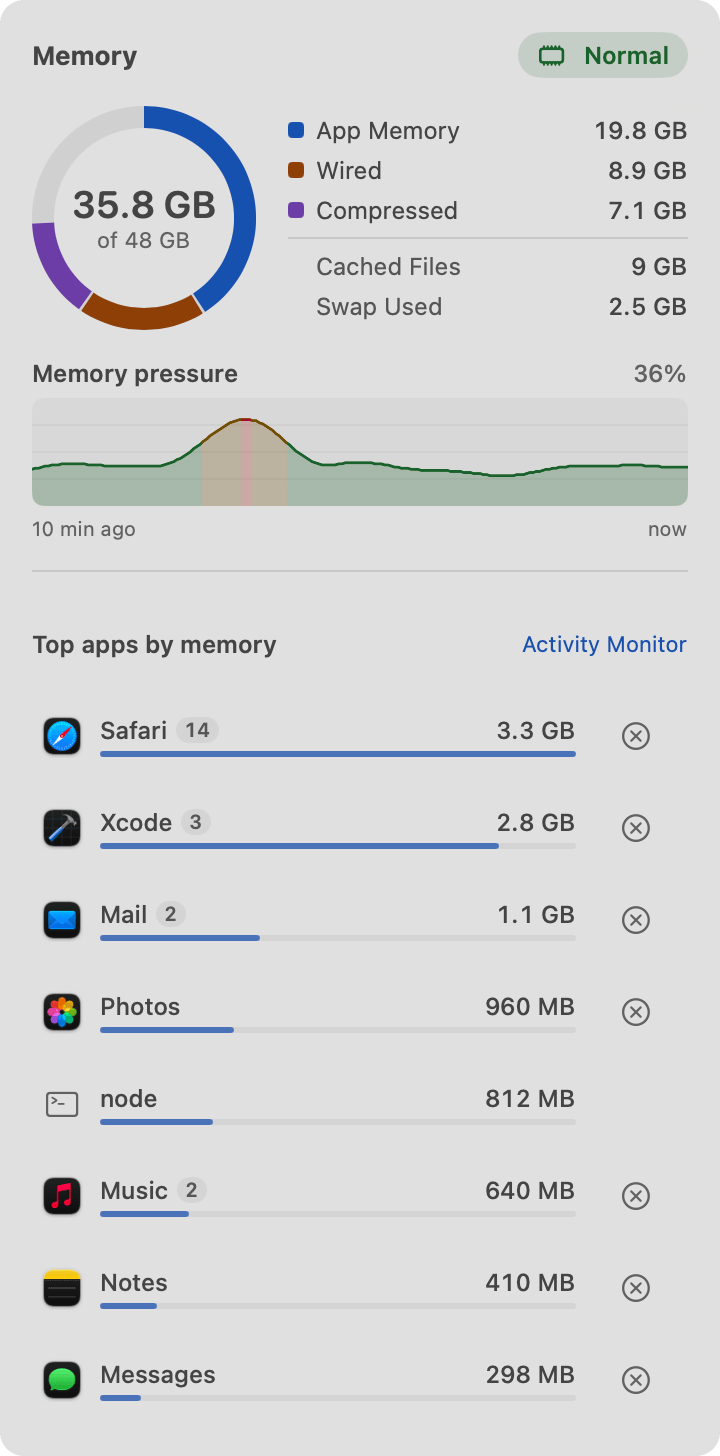
- 50 live widgets — clock, calendar, tasks, music, weather, system, memory, Home Assistant; revenue from Stripe, Shopify, Lemon Squeezy, Paddle, Gumroad, RevenueCat, App Store Connect and Google Play; analytics and ad spend; GitHub, CI, deploys, Sentry, Linear, Jira and Docker.
- Every coding agent — Claude Code, Codex, Cursor, Windsurf, Gemini CLI, Aider, OpenCode and Trae, by project.
- Agent-controllable — a local API and MCP server, so Claude Code, Codex or Cursor can set up docks, profiles, themes and every part on request, down to designing your menu bar.
- Coding agents at a glance — which project's agent is working, which needs you, one click to its window.
- App icon styles — Glyphs, Tinted, Monochrome, custom icons and icon packs.
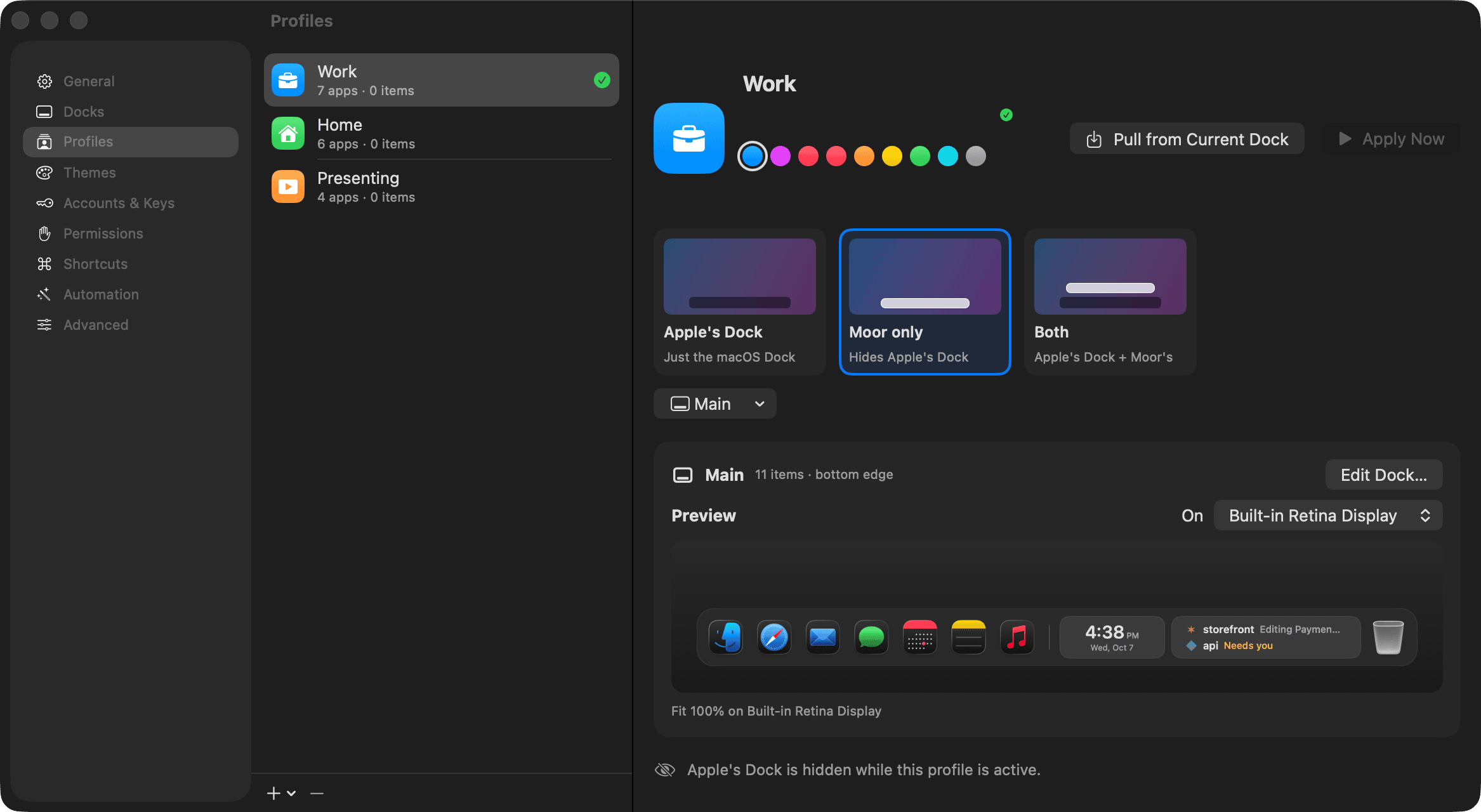
- Profiles — whole Dock setups, switched by keystroke, swipe, Shortcuts, links or monitor setup.
- Fast — about a millisecond per frame while hovering, ~0.1% CPU idle.
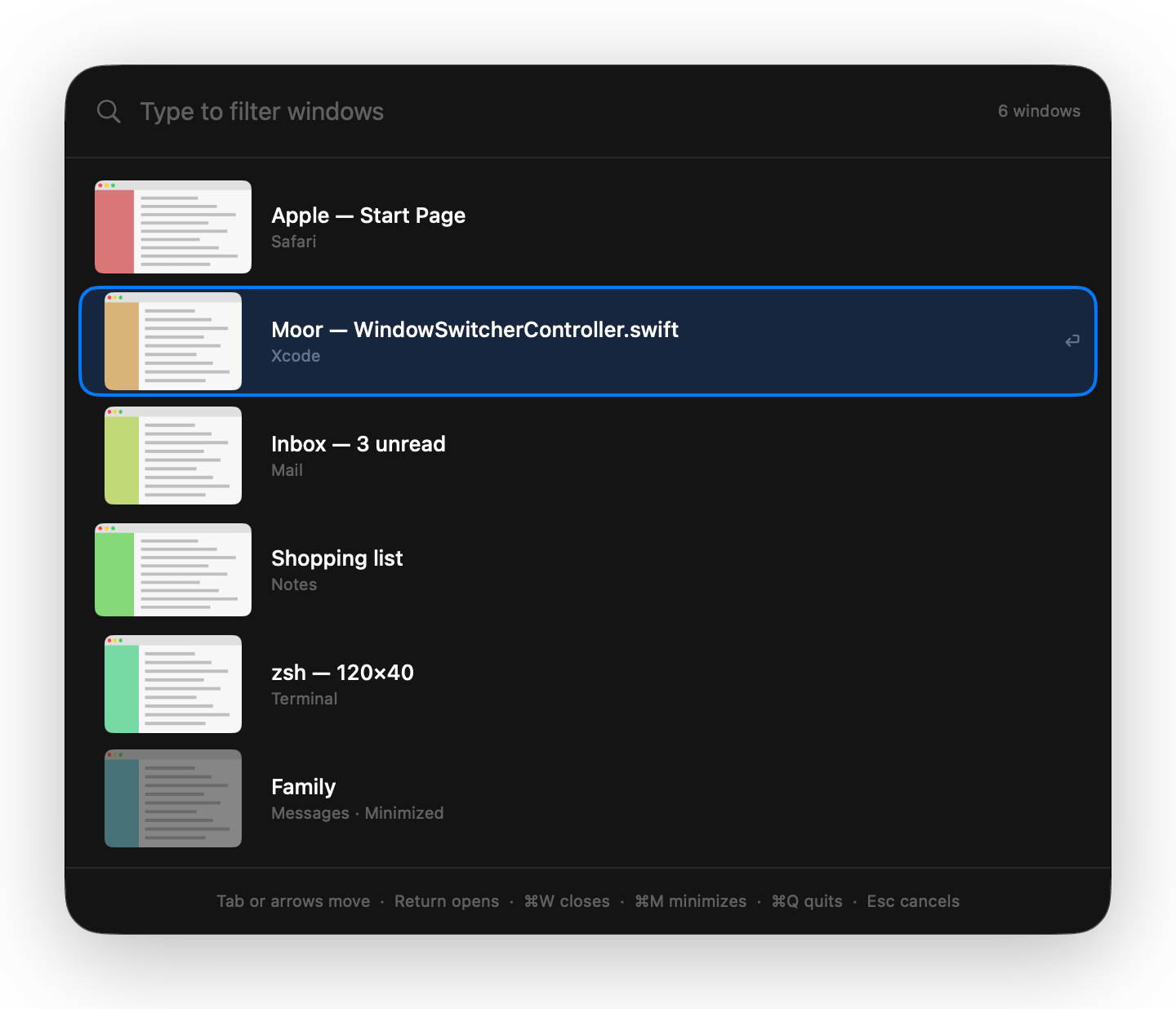
- Parts — five more jobs, each with its own switch and included in the price: Helm (a window switcher, snapping and saved layouts), Mast (hide and search menu bar icons, widgets in the menu bar), Moor Bar (Moor's own menu bar over Apple's: your layout, any widget, a clock in any format and your own look, on every display), Deck (50 widgets on the desktop) and Hold (files by kind, plain-English search, duplicates and clean-up). See Parts.
- Safe — saves your original Dock first; quitting brings Apple's Dock back; uninstall from inside.
App icon
Download the icon (1024 × 1024 PNG)
Screenshots
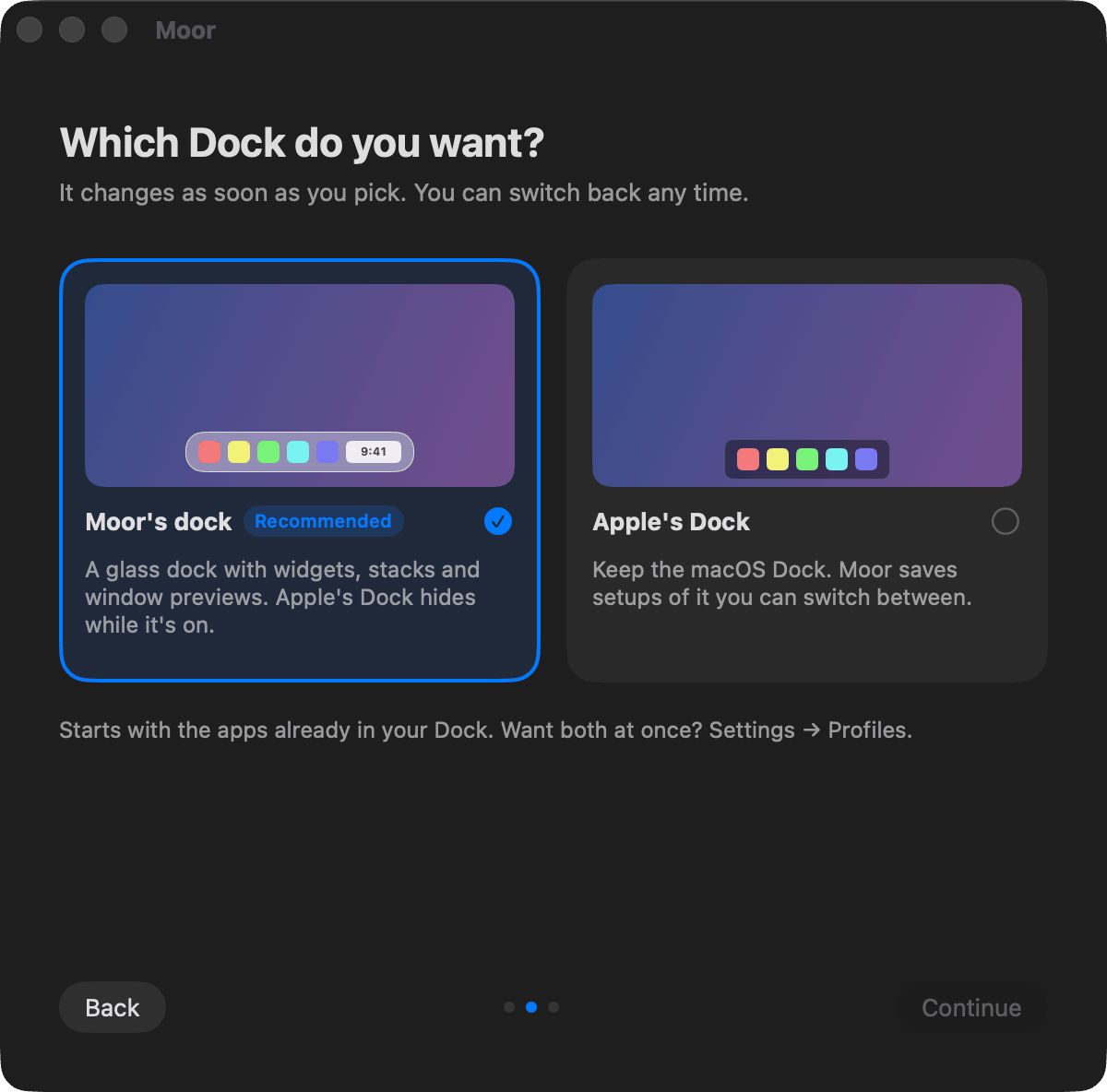
Captured from Moor itself, at 2× resolution. Right-click any picture to save the full-size PNG.




Demo video
dock-demo.mp4 — seven seconds of the dock magnifying under the pointer (1600 × 296, no sound).
Names
Write it Moor (not MOOR or moor). The company is Bayou Applications LLC. Apple, Mac and macOS are trademarks of Apple Inc.; Moor is not affiliated with Apple.