
Moor part · Files
What you have, not where you put it.
Hold is Moor's part for files. Your files sit on shelves by kind. Search in plain English. Find duplicates and old downloads, and move them to the Trash.
Stands in for Finder. Included with Moor, off until you turn it on.
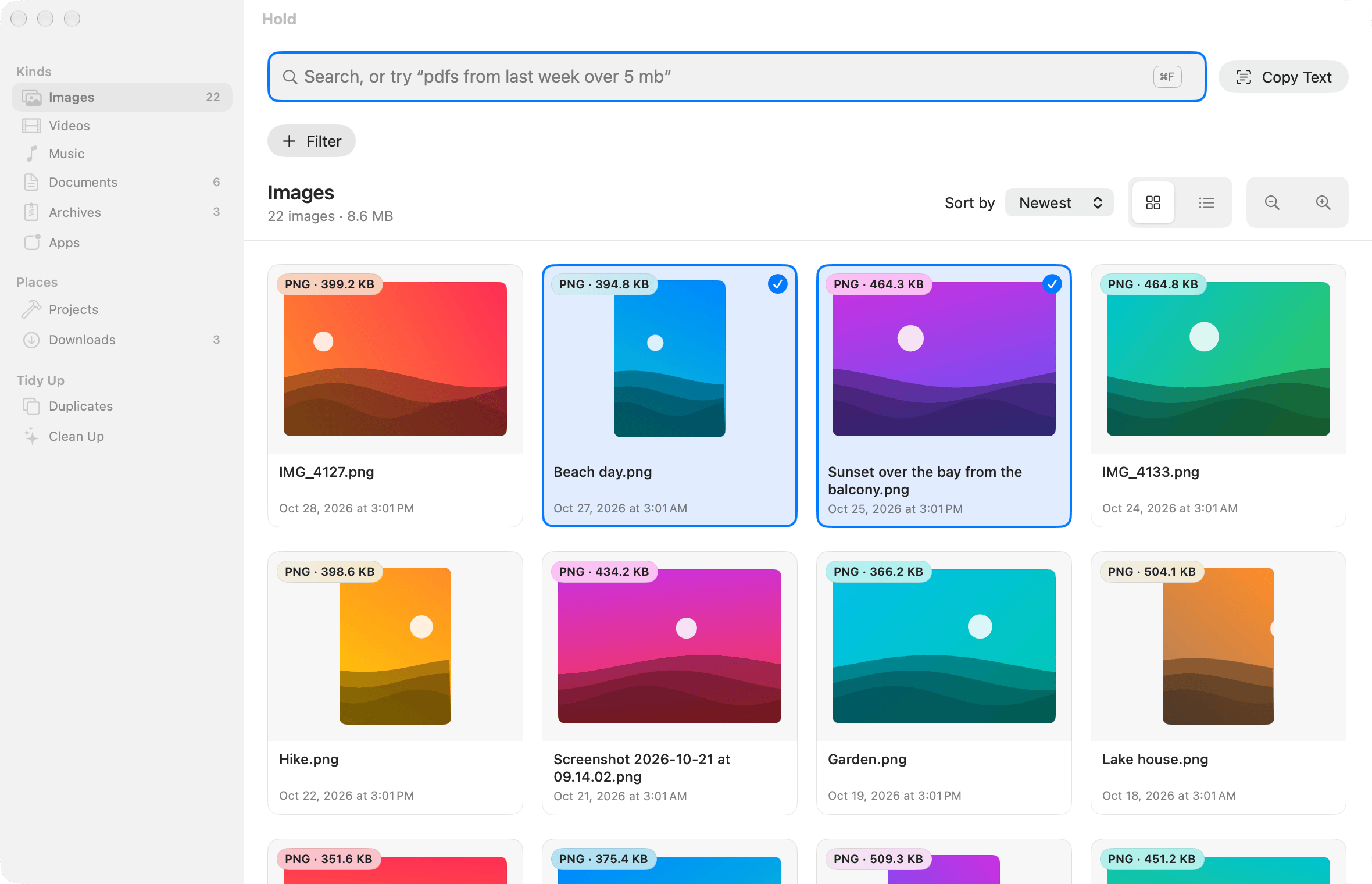
What Hold does
Shelves by kind
Images, Videos, Music, Documents, Archives and Apps, plus Projects (Git folders) and Downloads.
Plain-English search
Type
pdfs from last week over 5 mb. Hold turns it into chips you can remove one by one.Downloads by source
Grouped by where they came from: Gmail, Slack, ChatGPT, GitHub, Google Drive, Dropbox or any site.
Text in images
Search screenshots and photos by the words in them, and copy the text from one image or several. Read on your Mac.
Duplicates and look-alikes
Exact copies, plus photos that look the same, like a resized copy. Keep one, move the rest to the Trash.
Clean Up
Old installers, big downloads and old screenshots, biggest first, with the space you'd free.
Work with your files
Drag files out to Finder, Mail, Slack or a dock. Copy, paste, rename, duplicate, compress, tag and Get Info, with Undo.
Your files stay yours
Hold never deletes. It asks first and moves files to the Trash. Files only in iCloud are skipped.
Finder, or Hold?
Finder is where your files live. Here is what Apple's guide for macOS 26 says about gathering them, next to Hold.
Pick a macOS answer to open the Apple Support page it came from, read 28 October 2026. Not stated means Apple's page doesn't mention it, which is not the same as no. Where macOS wins: Finder browses folder by folder, burns discs and connects to servers. Hold doesn't: Show in Finder is always there.
Turn it on
Open Settings → Parts
In Moor's menu bar menu, choose Settings, then Parts.
Switch Hold on
It starts at once. Turn it off and its shortcuts, windows and menu bar items go away.
Find it in Settings → Hold
Hold gets its own page in Settings while it's on.
Only the Docks are on when you start. Every part comes with every license and trial, at no extra cost. Or from Terminal: moor parts enable hold.
Permissions
- Files and Folders
- macOS may ask to let Moor use Desktop, Documents and Downloads. Hold searches with Spotlight's index. The only index it keeps is the words it reads in images, on this Mac.
Moor asks only when you turn on the feature that needs it. Permissions in detail →
Shortcuts
| Open Hold | ⌃⌥H |
|---|---|
| Quick Look | Space |
| Copy files | ⌘C |
| Paste into a folder | ⌘V |
| Rename | Return |
| Undo | ⌘Z |
Change the shortcut in Settings → Hold. Every shortcut →
More about Hold
Try Hold free for 14 days
$29 once, 14-day free trial, no card
$– – of – left at this price then $–
macOS 26 (Tahoe) or later, Apple silicon. Quit Moor and Apple's Dock comes right back.