 Moor
Moor
Permissions
Every permission is optional. Each one switches on specific features, and everything else works without it. Moor asks the first time you use a feature that needs one, and Settings → Permissions lists them all.
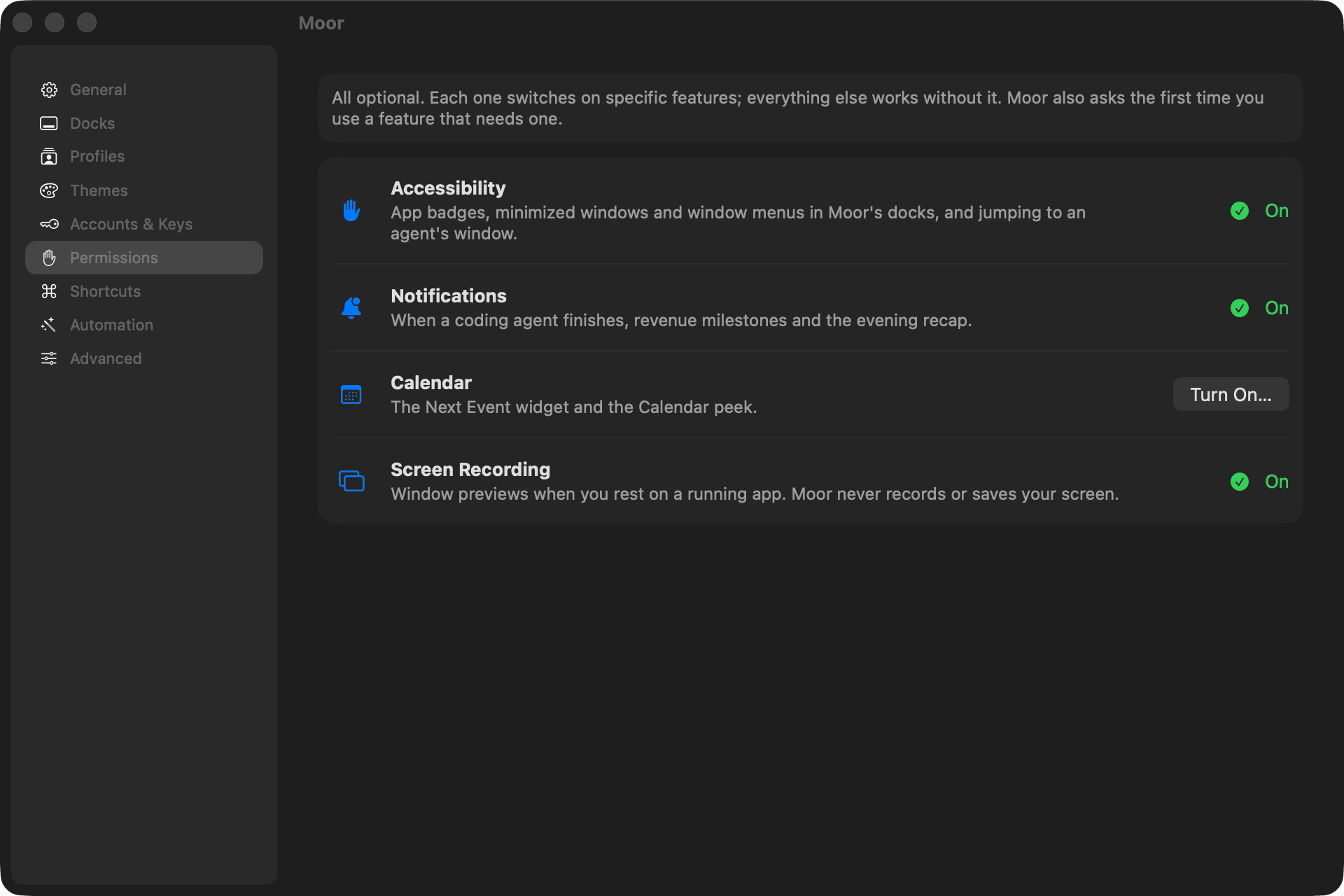
| Permission | Switches on | Asked when |
|---|---|---|
| Accessibility | App badges, minimized windows and window menus in Moor's docks; jumping to an agent's window | The setup guide, if you pick Moor's dock |
| Notifications | An agent finished, revenue milestones, the evening recap, Focus Timer phases | The first time one of those would notify you |
| Calendar | The Next Event widget and the Calendar peek | You add or click the Next Event widget |
| Screen Recording | Window previews when you rest on a running app | You turn on window previews |
| Automation (per app) | Now Playing controls; the Mail peek | The first time Moor talks to that app |
Turning one on
Choose Turn On… in Settings → Permissions. For Accessibility and Screen Recording, macOS opens System Settings → Privacy & Security — switch Moor on there. Moor notices within a second.
Turning one off
Switch Moor off in System Settings → Privacy & Security. The features that use it stop; nothing else changes.
Screen Recording is only used to show small previews of your windows in the dock. Moor never records, saves or sends your screen.
This page as Markdown: /docs/permissions.md