 Moor
Moor
Buying, licensing and updates
The free trial
Moor is free for 14 days with everything included — no card, no account. The menu bar and Settings → General show how many days are left.
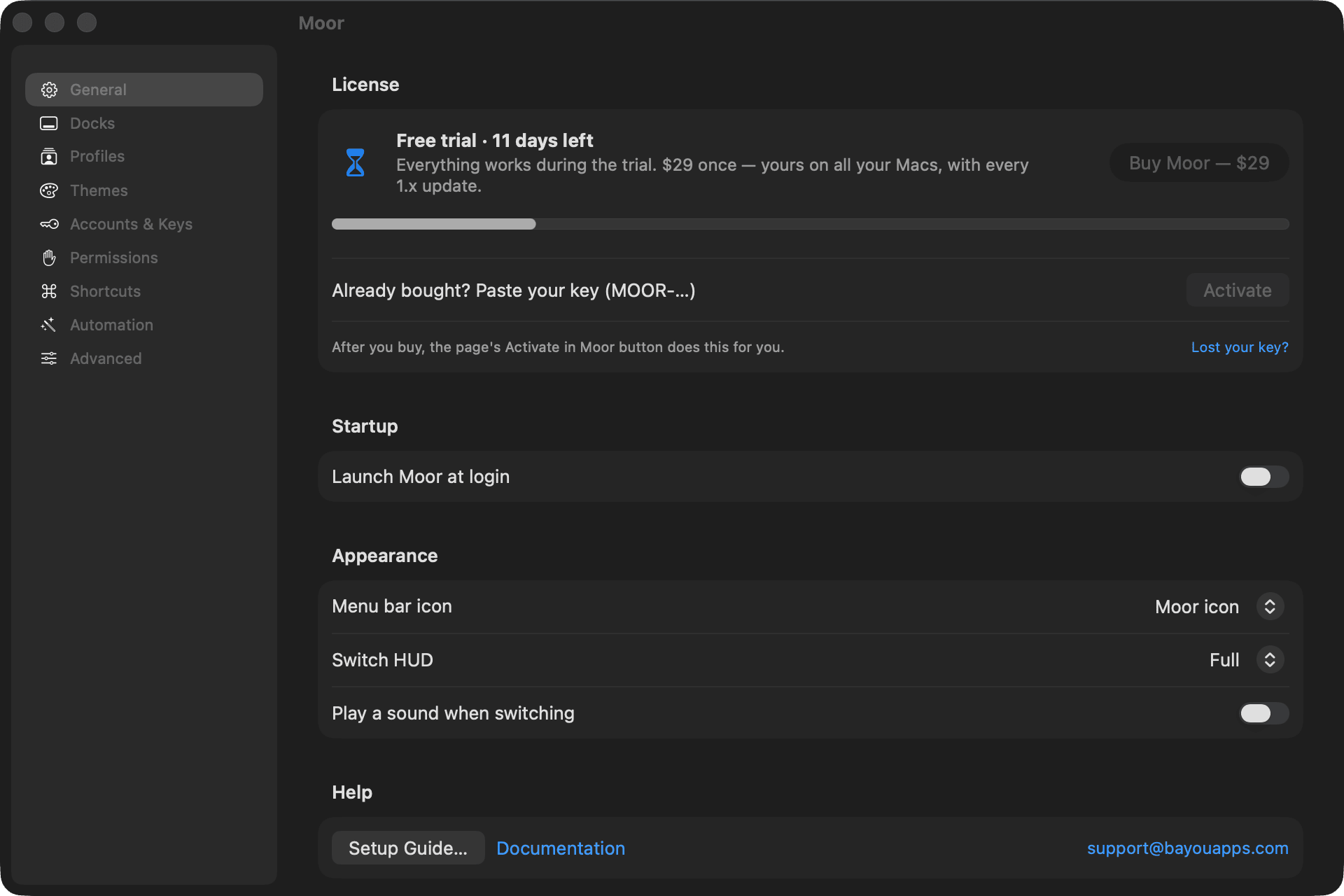
When the trial ends, Moor keeps working and reminds you about once a day.
Buying
Moor is $29 once — no subscription. It's yours on all your own Macs, with every Moor 1.x update.
- Choose Buy Moor — $29… in the menu bar or in Settings → General (or go to moorapp.com/buy).
- Pay on the secure Stripe checkout page. Stripe, our merchant of record, handles payment and tax and emails your receipt.
- Your license key appears right on the next page. Choose Activate in Moor — Moor opens and says “Moor is activated”. Done.
Prefer to do it by hand? Copy the key and paste it into Settings → General → License, then choose Activate. Keys look like MOOR-… and work offline; activation never contacts us.
Several Macs
Your license is for you, on all your own Macs. On each one, open the purchase page again or find your key, and activate.
Lost your key?
Go to moorapp.com/license and enter the email you bought with and the billing postal code (ZIP) you gave at checkout. Your key appears right there — no email, no waiting. A receipt or order number works in place of the postal code. Still stuck? Write to support@bayouapps.com.
Refunds
Within 30 days, for any reason: write to support@bayouapps.com with the email you bought with. A refunded key stops working within a day. See the refund policy.
Updates
Moor keeps itself up to date. It checks for updates in the background and asks before installing one; every update is signed and notarized.
- Check by hand: menu bar → Help → Check for Updates…
- Turn automatic checks off: Settings → General → Updates.
- What changed: the changelog.
This page as Markdown: /docs/buying.md