
Moor part · Windows
Every window, one key away.
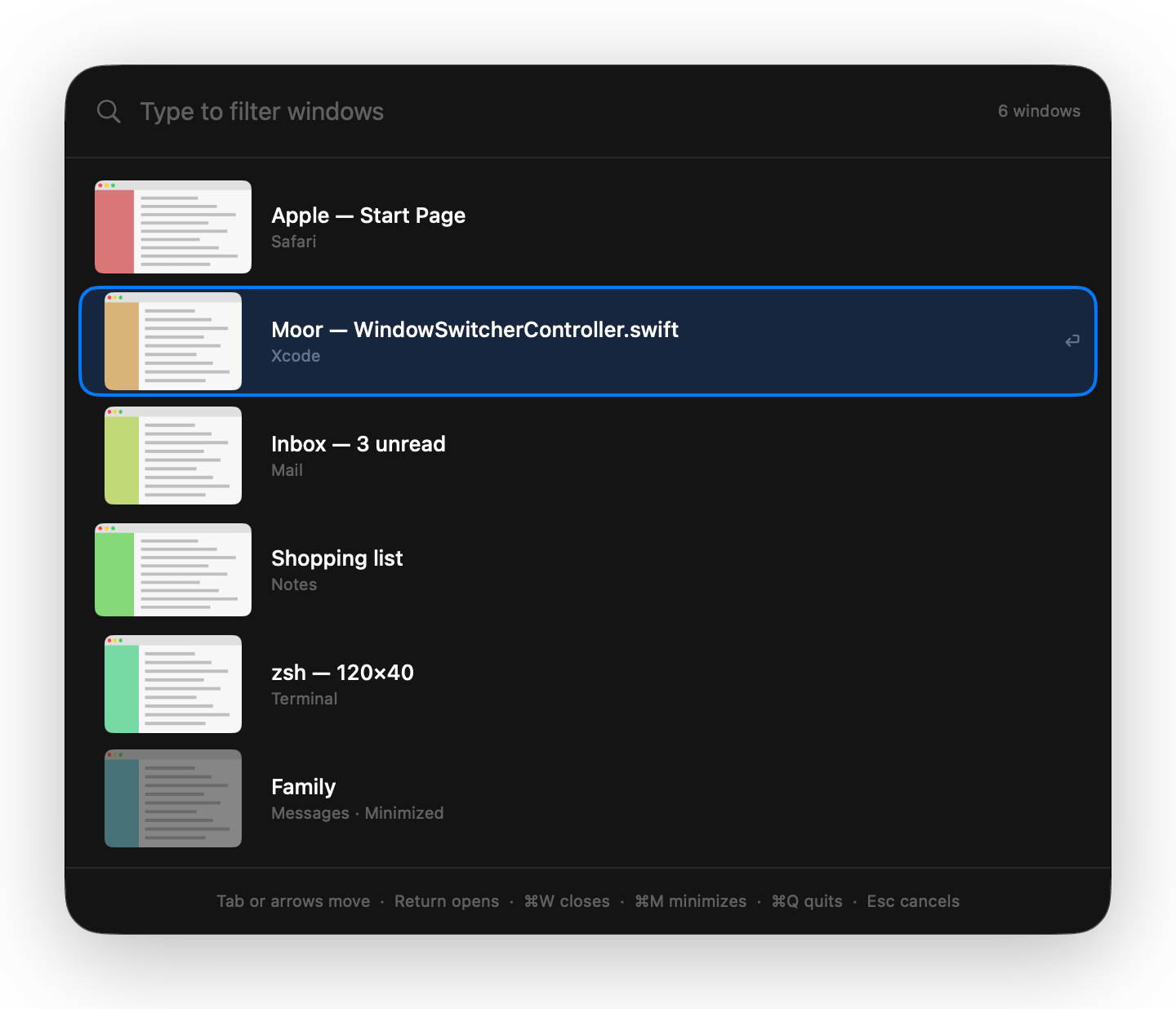
Helm is Moor's part for windows. Press ⌥Tab to see every window, not just every app. Snap windows to halves and quarters. Save a layout and put it back later.
Stands in for ⌘Tab and window arranging. Included with Moor, off until you turn it on.
What Helm does
Window switcher
Hold ⌥ and press Tab. Every window of your open apps, the most recent first, minimized ones too.
Type to filter
Start typing and the list narrows to the windows that match the app or the title.
Act from the switcher
⌘W closes the window, ⌘M minimizes it, ⌘Q quits its app.
Every Space, if you like
Turn on Show windows from all Spaces. Picking one takes you to its Space.
Snap by dragging
Drag a window to the left or right edge for half the screen, the top for all of it, a corner for a quarter.
Saved layouts
Save where the windows on a display are, name it, and restore it from Settings, the menu bar, a shortcut or a Context Profile.
From scripts and agents
moor helm snap left,moor helm layout restore Coding, the local API and themoor_helmMCP tool.
⌘Tab, or Helm?
macOS already switches apps and tiles windows. Here is what Apple's guide for macOS 26 says, next to Helm.
| Task | macOS 26 | Helm |
|---|---|---|
| What the switcher switches | Apps (⌘Tab), or the windows of the app you're in (⌘`) (source: support.apple.com, checked 28 October 2026) | Every window of every open app (see the Helm docs) |
| Tile by dragging to an edge or corner | Yes (source: support.apple.com, checked 28 October 2026) | Yes (see the Helm docs) |
| Keyboard shortcuts for halves | Yes (source: support.apple.com, checked 28 October 2026)Fn-Control and an arrow key | Yes (see the Helm docs)⌃⌥ and an arrow key |
| A shortcut for each quarter | No (source: support.apple.com, checked 28 October 2026)Apple's tiling page lists no shortcut for a single corner. | Yes (see the Helm docs)⌃⌥U, I, J and K |
| Save and restore window layouts | Not stated (source: support.apple.com, checked 28 October 2026) | Yes (see the Helm docs) |
Pick a macOS answer to open the Apple Support page it came from, read 28 October 2026. Not stated means Apple's page doesn't mention it, which is not the same as no. Where macOS wins: ⌘Tab and tiling are built in, and need no permission.
Turn it on
Open Settings → Parts
In Moor's menu bar menu, choose Settings, then Parts.
Switch Helm on
It starts at once. Turn it off and its shortcuts, windows and menu bar items go away.
Find it in Settings → Helm
Helm gets its own page in Settings while it's on.
Only the Docks are on when you start. Every part comes with every license and trial, at no extra cost. Or from Terminal: moor parts enable helm.
Permissions
- Accessibility
- To see your windows and move them.
- Screen Recording
- Optional. Only for window thumbnails in the switcher. Without it, each row shows the app's icon. Moor never records or saves your screen.
Moor asks only when you turn on the feature that needs it. Permissions in detail →
Shortcuts
| Window switcher | ⌥Tab |
|---|---|
| Back up the list | ⇧Tab |
| Close, minimize or quit the selected window | ⌘W ⌘M ⌘Q |
| Left or right half | ⌃⌥← ⌃⌥→ |
| Top or bottom half | ⌃⌥↑ ⌃⌥↓ |
| Quarters | ⌃⌥U ⌃⌥I ⌃⌥J ⌃⌥K |
| Maximize | ⌃⌥Return |
| Center | ⌃⌥C |
| Restore a layout | Your choice, one per layout |
Change any of them in Settings → Helm. Every shortcut →
More about Helm
Try Helm free for 14 days
$29 once, 14-day free trial, no card
$– – of – left at this price then $–
macOS 26 (Tahoe) or later, Apple silicon. Quit Moor and Apple's Dock comes right back.